













Reward double opt-in with a discount
Compliant two-step opt-ins that deliver an instant discount and lift confirmation rates.
Capture qualified leads with a high-value resource and a clean, compliant consent process.
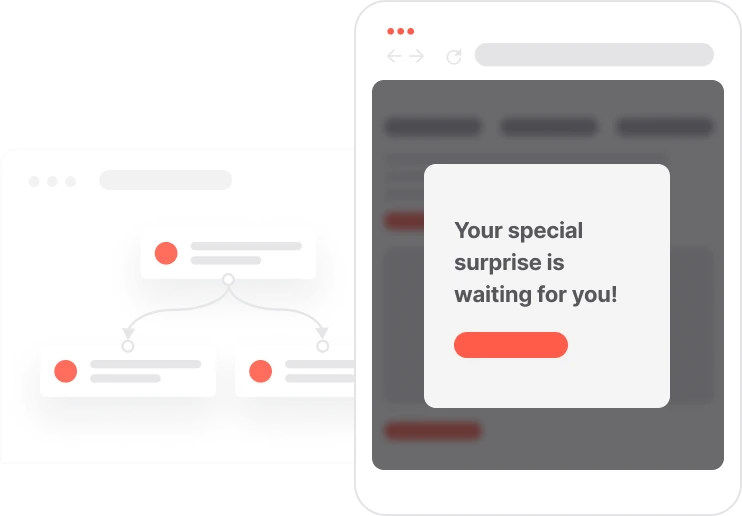
Someone fills in a form to download your ebook. What happens next should be instant, clean, and compliant. This use case handles the whole chain automatically. If the contact is already a subscriber, the resource lands in their inbox right away. If not, a double opt-in email goes out first. One click to confirm, then the content follows. Either way, the contact ends up in the newsletter segment, ready for future communication. No manual steps, no compliance risk, no one waiting longer than they should. Just a friction-free experience that turns a download into a lasting subscriber relationship.

A visitor lands on the page, reads about the resource, and fills in the form. The system checks immediately: does this contact already have email consent? If yes, the ebook goes straight to their inbox. Done. If not, a confirmation email arrives first. They click to confirm. The ebook follows. Either path ends in the same place: the resource delivered, the contact added to the newsletter segment, a subscription event logged. From one form submission to a clean, consented subscriber, the whole thing runs without anyone having to do anything.
Landing page form submission: A visitor submits the landing page form with their email address and marketing consent checkbox. The system creates or updates the contact profile with the submitted data.
Consent status check: The automation checks whether the contact already has Consent email set to TRUE. Existing subscribers skip the double opt-in step and receive the resource immediately. New contacts proceed to verification.
Double opt-in for new contacts: If email consent is not yet confirmed, the system sends a double opt-in email. The contact clicks the confirmation link to verify their subscription. This updates their consent status and unlocks delivery of the lead magnet.
Lead magnet delivery: Once consent is confirmed, whether pre-existing or newly verified, the system sends an email containing the download link for the requested resource. The contact receives it instantly.
Newsletter list enrollment: The contact is added to the Newsletter subscribers segment. A newsletter subscription event is created with the source tracked, ensuring every lead can be attributed to the right landing page for reporting and future segmentation.
Implementing use case automation involves several key steps and tools. Here's a comprehensive ressources to get you started:
Marketing on a new level with a beautiful visual, drag & drop creator.
Design and customize landing pages that convert visitors into leads.
Send personalized emails that resonate with your users at the perfect moment.
A contact attribute is a data field stored on the contact's profile, used for segmentation, personalization, reporting, and automation.
An event tracks a specific action performed by a contact.
Add UTM parameters to landing page links to track which pages drive the most conversions.
Create multiple landing page variants to A/B test headlines, form layouts, or resource types.
Use dynamic content in the delivery email to reference the specific resource the contact requested.
Make sure the double opt-in email clearly states what the contact is subscribing to, not just that they are confirming their email.
Test the full form-to-delivery flow before launching: submission, opt-in email, confirmation click, and lead magnet receipt.
Verify that the lead magnet download link is live, accessible, and points to the correct resource.
Trusted by fast-growing teamsStart from a proven use case designed to help you engage faster, with relevance and impact.
More ways to engage your audienceCompliant two-step opt-ins that deliver an instant discount and lift confirmation rates.
In-app messages that surface new features the moment mobile users open the app.
Automated deal and task creation that puts sales on every expired subscription within days.
Get a personalized demonstration to discover how Positive User can help you generate more leads, automate your actions, and accelerate your growth.
In just 30 minutes, you will learn how to:
Enjoy a personalized exchange with an expert to identify your opportunities, clarify your challenges, and receive recommendations tailored to your business.