













Reward double opt-in with a discount
Compliant two-step opt-ins that deliver an instant discount and lift confirmation rates.
Enable secure loyalty program enrollment and automatically deliver a mobile wallet loyalty card
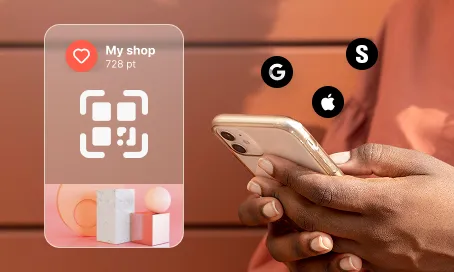
A loyalty program is only as strong as its onboarding. If sign-up feels clunky or insecure, customers drop off before they even start. This use case removes the friction entirely. A dedicated landing page collects the essentials, a double opt-in email confirms the contact’s identity, and once verified, the loyalty card lands instantly in their Apple or Google Wallet — delivered via both email and SMS. No app download, no plastic card, no waiting. The customer is enrolled, verified, and equipped in minutes. Clean data flows into your system from day one, consent is airtight, and you’ve created a moment of value that sets the tone for the entire relationship.

A customer spots your loyalty program and lands on a dedicated registration page. They fill in their name, email, phone number, and tick SMS consent — 30 seconds, done. Immediately, a verification email hits their inbox. One click confirms their identity, and the system takes over: the registration event is logged, the loyalty workflow kicks in, and within moments, a mobile wallet loyalty card is delivered via email and SMS. The card sits in their Apple or Google Wallet, ready to use at the next purchase. No friction, no app, no follow-up needed. They’re in — and they feel it.
Loyalty registration form submission: The contact submits their first name, last name, email address, phone number, and SMS consent on the Mobile Wallet Loyalty Card Registration Landing Page.
Verification email sent: Immediately after submission, the system sends a verification email containing a confirmation link with a parameter such as loyalty-card-registration=true to validate the contact’s identity.
Double opt-in confirmation: When the contact clicks the verification link, the system confirms the double opt-in and validates the registration request.
Loyalty program registration event creation: Upon successful verification, the system creates the event Registration for Loyalty Program with the scenario set to Landing Page – Mobile Wallet Loyalty Card Registration Page.
Loyalty card assignment and delivery: The “Mobile Wallet Loyalty Card – assign and update” use case is triggered, automatically assigning the loyalty card and delivering it to the contact via email and SMS.
This workflow uses four modules working together: Automations, Email Marketing, Landing Pages, and Mobile Wallet. Here’s everything you need to get started.
Marketing on a new level with a beautiful visual, drag & drop creator.
Send personalized emails that resonate with your users at the perfect moment.
Easily design and customize landing pages that convert visitors into leads, optimizing the journey from click to action.
Reach customers effortlessly through Apple and Google Wallet.
A contact attribute is a data field stored on the contact’s profile, used for segmentation, personalization, reporting, and automation.
An event is a custom piece of information about something your contact does.
Set up your own domain for landing pages.
Trusted by fast-growing teamsStart from a proven use case designed to help you engage faster, with relevance and impact.
More ways to engage your audienceCompliant two-step opt-ins that deliver an instant discount and lift confirmation rates.
In-app messages that surface new features the moment mobile users open the app.
Automated deal and task creation that puts sales on every expired subscription within days.
Get a personalized demonstration to discover how Positive User can help you generate more leads, automate your actions, and accelerate your growth.
In just 30 minutes, you will learn how to:
Enjoy a personalized exchange with an expert to identify your opportunities, clarify your challenges, and receive recommendations tailored to your business.