













Reward double opt-in with a discount
Compliant two-step opt-ins that deliver an instant discount and lift confirmation rates.
Win back inactive customers with personalized email reactivation campaigns.
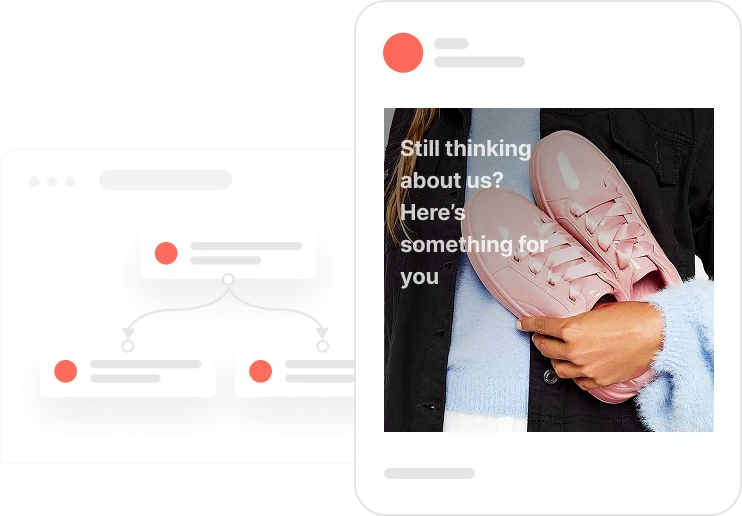
A customer who stopped engaging 90 days ago is not necessarily lost. They are dormant, and dormant customers respond differently to reactivation than they do to standard campaigns. This use case identifies every contact who has not purchased, opened an email, clicked, or visited the site in the past 90 days, and puts them through a two-email sequence designed specifically to get their attention back. The system checks whether they have re-engaged after each message. If they have, they are automatically moved back to the active customer segment and the sequence stops. If they have not, a tag is applied after day seven that marks them for further strategic follow-up. A cleanup automation can remove that tag the moment they come back.

The automation runs daily. Every day it looks for contacts who qualify as dormant: no purchase, no email open or click, no site visit in 90 days, with email consent active. Each qualifying contact enters the reactivation sequence. The first email lands in their inbox with a warm, personal tone, giving them a reason to come back. Four days later, the system checks: is this contact still in the dormant segment? If they opened the email, clicked a link, or visited the site, they have already been automatically moved to the active segment and no second email is sent. If they are still dormant, a second email goes out with a more compelling incentive. Three days after that, a final check happens. Contacts who re-engaged at any point move to the active segment automatically. Contacts who did not respond to either email receive a tag that flags them for a different strategy, whether that is a different channel, a longer pause, or a win-back offer down the line.
Identify dormant customers: The Customers Not Active segment includes contacts who have had no purchase, no email opens or clicks, and no site activity in the last 90 days, with Consent email = TRUE. This segment updates dynamically, so every qualifying contact is picked up automatically each time the flow runs.
First reactivation email: The system sends the first reactivation email with a warm, personal subject line and engaging content designed to remind the contact of the value they have been missing. The message focuses on what the brand can offer them now rather than on their absence.
Re-engagement check after 4 days: After 4 days, the system checks whether the contact is still in the Customers Not Active segment. Any engagement, including opening the email, clicking a link, visiting the site, or making a purchase, automatically moves them to Customers Active and ends the sequence. If still dormant and consent is active, the second email is sent.
Final check and dormancy tagging after 7 days: Three days after the second email, 7 days total from the start of the sequence, the system checks one more time. Contacts who have re-engaged are in the active segment and receive nothing. Contacts still in Customers Not Active receive the tag customer_not-active_after-reactivation, marking them for a different strategic approach.
Optional: tag cleanup automation. A separate cleanup automation monitors for any activity from contacts tagged as customer_not-active_after-reactivation. The moment they make a purchase, open an email, click a link, or visit the site, the tag is automatically removed and they are moved to the Customers Active segment, keeping the database accurate.
Implementing use case automation involves several key steps and tools. Here's comprehensive ressources to get you started:
Marketing on a new level with a beautiful visual, drag & drop creator.
Send personalized emails that resonate with your users at the perfect moment.
A contact attribute is a data field stored on the contact's profile, used for segmentation, personalization, reporting, and automation.
An event is a custom piece of information about something your contact does.
Segments are dynamic groups that update in real time based on contact behavior and attributes.
Tags are flexible labels for quick contact identification and targeted follow-up.
You can change the customers’ segmentation to a more advanced model using Deals–Orders
Use the results of this action for mass-campaign segmentation, either by excluding non-active contacts or by targeting them with different messages/schedules.
Trusted by fast-growing teamsStart from a proven use case designed to help you engage faster, with relevance and impact.
More ways to engage your audienceCompliant two-step opt-ins that deliver an instant discount and lift confirmation rates.
In-app messages that surface new features the moment mobile users open the app.
Automated deal and task creation that puts sales on every expired subscription within days.