













Reward double opt-in with a discount
Compliant two-step opt-ins that deliver an instant discount and lift confirmation rates.
Display a non-blocking pop-up with a discount code when visitors browse a chosen product category to lift on-page conversion without interrupting the shopping flow.
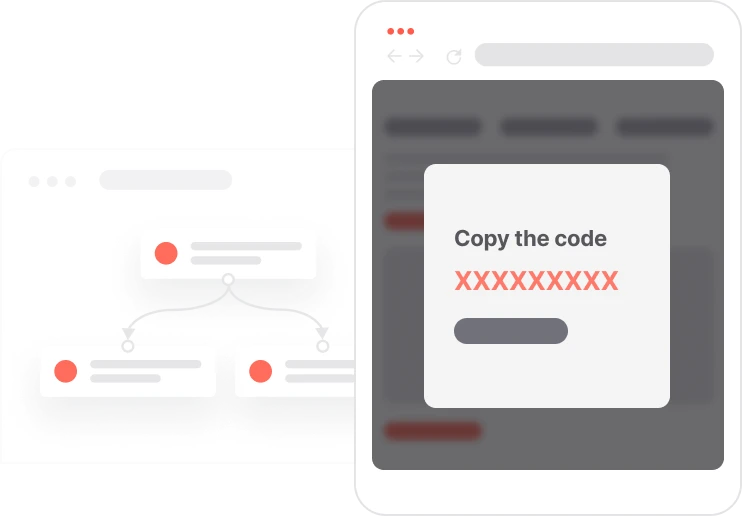
Most discount pop-ups are intrusive. They block the page, demand an email address, and interrupt the browsing experience. This use case takes a different approach. A small widget appears in the corner of a specific category page, shows the discount code clearly, and stays out of the way. The shopper can ignore it, close it, or copy the code and use it at checkout. No form to fill in, no modal to dismiss, no friction. URL-based targeting means it only appears on the pages where it is relevant, and display frequency control prevents repeat visitors from seeing it on every single session. For stricter control, individual codes can be assigned per session instead of a shared sitewide code.

A visitor lands on a category page, for example the women's shoes section. The URL matches the targeting rule and a small widget appears in the corner of the screen. It shows the discount code and a short note about how to use it. The visitor can keep shopping, scroll through products, and add things to the cart, all while the widget sits quietly in the corner. When they are ready to buy, they copy the code and use it at checkout. If the setup uses individual codes, a unique code is assigned to their session at the moment the widget appears. The same visitor will not see the widget again for the next few days. If they never interact with it, that is also tracked, giving the team clear data on widget visibility versus actual code use.
Category URL detection: When a visitor navigates to a targeted category page, the automation triggers based on URL rules configured in both the page visit trigger and the show pop-up step. This dual check ensures precise URL matching and prevents the widget from appearing on unintended pages.
Non-blocking widget display: A small, non-modal widget appears in a corner of the screen showing the discount code and brief usage instructions such as applies at checkout. The visitor can close or minimize it at any time without losing their browsing context.
Code assignment and session persistence: If using a fixed code, the widget displays the configured sitewide code such as 10%OFF. If individual codes are enabled, the system assigns a unique code to the visitor's cookie at the moment the widget appears, enabling one-to-one attribution and preventing duplicate use.
Engagement tracking and checkout attribution: When the visitor clicks the widget to copy the code, an engagement event is logged. Widget impressions and code-copy actions are tracked separately, giving the team clear visibility into how many people saw the widget versus how many acted on it.
Implementing use case automation involves several key steps and tools. Here's a comprehensive ressources to get you started:
Marketing on a new level with a beautiful visual, drag & drop creator.
Collect information from your visitors and navigate them on the website.
Create promotions, import unique codes, and assign them automatically for individual code distribution.
Trusted by fast-growing teamsStart from a proven use case designed to help you engage faster, with relevance and impact.
More ways to engage your audienceCompliant two-step opt-ins that deliver an instant discount and lift confirmation rates.
In-app messages that surface new features the moment mobile users open the app.
Automated deal and task creation that puts sales on every expired subscription within days.