













Reward double opt-in with a discount
Compliant two-step opt-ins that deliver an instant discount and lift confirmation rates.
Increase subscription renewals with a multichannel reminder sequence before and after expiry.
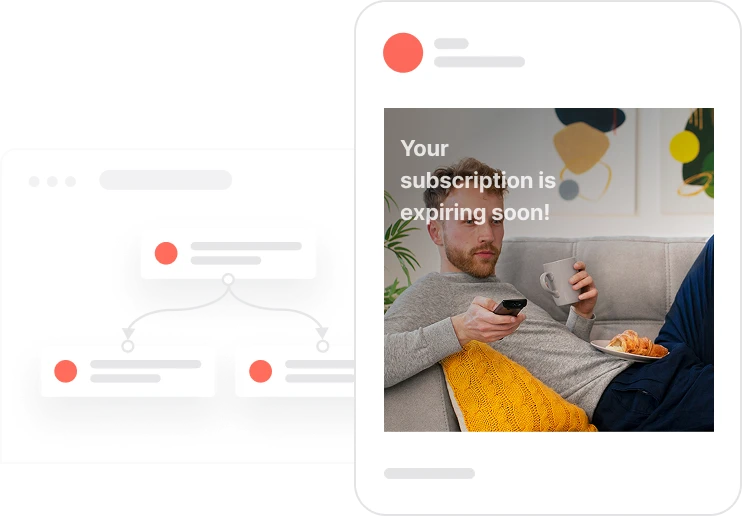
Most subscriptions that lapse do not lapse because the customer wanted to leave. They lapse because no one reminded them at the right moment. This use case closes that gap with a three-touchpoint sequence: five days before expiry, on the expiry date itself, and one day after if the subscription has not been renewed. At each touchpoint, the system checks what channels are available for that specific contact and chooses the best one: mobile push for app users, email as the default fallback, SMS if email is not available. Every message checks whether the subscription is still active before sending, so no one receives a renewal reminder for something they have already renewed. The final touchpoint, sent one day after expiry, is a win-back attempt rather than a routine reminder, with framing that focuses on what the contact is about to lose rather than what they owe.

A subscriber has a subscription expiry date set in their profile. Five days before that date, the automation fires. The system looks at what is available for that contact: do they have a mobile device with push enabled? If yes, a push notification goes out. If not, is email available? If yes, an email goes out. If not, SMS. The contact receives their first renewal reminder through whatever channel makes the most sense for them. On the expiry date itself, the flow runs again. Before sending anything, it checks whether the subscription is still expired. If the contact renewed after the first reminder, they receive nothing. If not, another message goes through the best available channel, this time with more urgency. One day after expiry, if the subscription has still not been renewed, a final message goes out. The tone shifts: this is not a reminder, it is a win-back. The message emphasizes what access has been lost and how easy it is to restore it. After this third touchpoint, the flow ends.
First reminder: 5 days before expiry: The automation triggers 5 days before the subscription_expiry_date. The system evaluates available channels in priority order: mobile push if consent and device token exist, then email, then SMS. The message focuses on prevention: the subscription is ending soon and renewal is easy.
Second reminder: day of expiry: On the expiry date, the system first checks whether subscription_status is still expired. If the contact has already renewed, no message is sent. If not, an urgent reminder goes out through the best available channel emphasizing that access ends today.
Final win-back: 1 day after expiry: If the subscription has expired without renewal, a final message is sent 1 day after expiry. The tone shifts from reminder to win-back: the message focuses on what the contact has lost and how easy it is to restore access. The system again uses the best available channel for this contact.
Channel selection logic: At every touchpoint, the system evaluates channels in the same order: mobile push first if Consent push is TRUE and a device token exists, then email if Consent email is TRUE, then SMS if Consent SMS is TRUE and a phone number is available. If no channel is available, no message is sent and the contact is excluded from that touchpoint.
Implementing use case automation involves several key steps and tools. Here's comprehensive ressources to get you started:
Marketing on a new level with a beautiful visual, drag & drop creator.
Send personalized emails that resonate with your users at the perfect moment.
Automate SMS delivery based on user actions or specific conditions.
Deliver personalized notifications to users of your mobile app.
A contact attribute is a data field stored on the contact's profile, used for segmentation, personalization, reporting, and automation.
A product attribute is a data field describing a property of a product stored on the product profile.
A product event tracks a contact's interaction with a specific product. First occurrence is used for anniversary calculation.
Trusted by fast-growing teamsStart from a proven use case designed to help you engage faster, with relevance and impact.
More ways to engage your audienceCompliant two-step opt-ins that deliver an instant discount and lift confirmation rates.
In-app messages that surface new features the moment mobile users open the app.
Automated deal and task creation that puts sales on every expired subscription within days.