













Reward double opt-in with a discount
Compliant two-step opt-ins that deliver an instant discount and lift confirmation rates.
Automate webinar sign-ups, confirmations, reminders, and post-webinar engagement across email, SMS, and push.
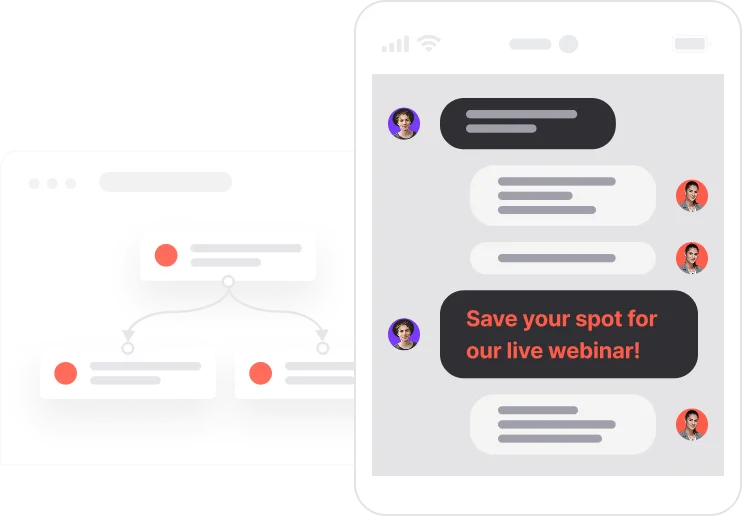
Registering for a webinar is easy. Showing up is where most people fall short. The gap between sign-up and attendance is a communication problem, and this use case closes it. The moment someone registers, they get a confirmation with everything they need: calendar file, agenda, join link. If they have not confirmed consent yet, a quick double opt-in flow handles that first. As the date approaches, reminders go out at 24 hours and again at 1 hour across email, SMS, and push, depending on what each contact has enabled. After the session, a thank-you email delivers the recording and a time-limited offer while the content is still fresh. Every step is automated, every channel is matched to consent, and the whole flow doubles as a lead nurturing engine.

A contact fills in the webinar registration form. The system logs the registration, checks email consent, and immediately sends the confirmation email with the calendar invite and everything needed to prepare. If consent was not previously given, a double opt-in email goes first. One click confirms, and the invitation follows. The day before the webinar, an email reminder goes out. If the contact has SMS consent, a text follows. One hour before the session starts, another wave: email, SMS again if enabled, and a push notification for contacts with a registered device. The webinar runs. Afterwards, everyone who attended receives a thank-you email with the recording link, bonus resources, and a 24-hour exclusive offer tied to the session topic. Contacts who registered but never confirmed opt-in do not receive post-event communications, keeping the list clean and the engagement meaningful.
Registration event and consent check: When the contact submits the registration form, the system creates the Webinar registration event with the webinar name and date. It immediately checks whether Consent email is TRUE to decide whether to send the invitation directly or trigger the double opt-in flow.
Invitation or double opt-in flow: If email consent exists, the system sends the webinar invitation including the .ics calendar file, agenda, join link, and any pre-webinar resources. If consent is not yet confirmed, the system sets Unsubscribed from emails to FALSE, sends a double opt-in email, and once the contact confirms, sets Consent email to TRUE and sends the invitation.
Registration tracking and newsletter enrollment: When the contact confirms via the opt-in link, the system creates both the Webinar registration event and a Newsletter subscription event with the scenario attribute set to Webinar registration. This ensures the registrant is tracked consistently and added to the newsletter segment for future communications.
Automated reminder sequence: Twenty-four hours before the webinar, the system sends an email reminder to all registered contacts. If SMS consent is active, an SMS reminder is sent at the same time. One hour before the start, a final wave goes out: email, SMS if enabled, and a push notification for contacts who have a registered device.
Post-webinar follow-up: After the webinar concludes, the system sends a thank-you email to attendees containing the session recording, bonus materials, and a 24-hour exclusive offer tied to the topic. This converts post-event interest into action while the content is still relevant.
Implementing use case automation involves several key steps and tools. Here's a comprehensive ressources to get you started:
Marketing on a new level with a beautiful visual, drag & drop creator.
Send personalized emails that resonate with your users at the perfect moment.
Automate SMS delivery based on user actions or specific conditions.
Design and customize landing pages that convert visitors into leads.
Deliver personalized notifications to users of your website or app.
A contact attribute is a data field stored on the contact's profile, used for segmentation, personalization, reporting, and automation.
An event is a custom piece of information about something your contact does.
Set up your own domain for landing pages.
Trusted by fast-growing teamsStart from a proven use case designed to help you engage faster, with relevance and impact.
More ways to engage your audienceCompliant two-step opt-ins that deliver an instant discount and lift confirmation rates.
In-app messages that surface new features the moment mobile users open the app.
Automated deal and task creation that puts sales on every expired subscription within days.