













Reward double opt-in with a discount
Compliant two-step opt-ins that deliver an instant discount and lift confirmation rates.
Collect customer feedback and measure satisfaction automatically, without lifting a finger.
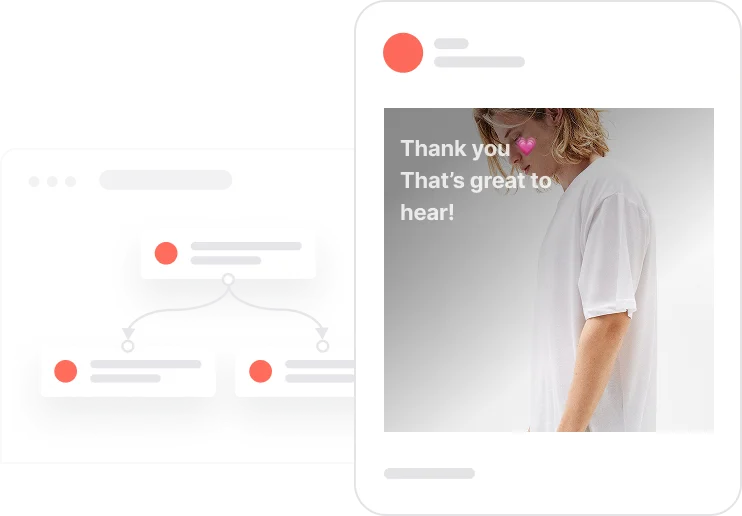
Most brands ask for feedback too late, too often, or not at all. This use case gets the timing right. Seven days after a completed order, a short NPS survey lands in the customer's inbox. They click a score from 1 to 10. That click goes to a landing page matched to their response: a thank-you for fans, a gentle prompt for the middle ground, a direct feedback form for anyone who had a bad experience. Every score and comment flows automatically into a Google Sheet via Make.com. No personal data is transferred, just the contact's system ID, so the whole flow stays GDPR-compliant. A 21-day capping keeps things respectful. The result is a steady stream of real feedback, neatly routed and ready to act on.

A customer completes an order. Seven days later, the system checks: do they have email consent? Have they already received an NPS or a general email recently? If they are clear on both counts, the survey email goes out. Ten numbered buttons, one question about the purchase experience. The customer clicks their score and lands on a page that fits: a genuine thank-you for nines and tens, a soft improvement prompt for sevens and eights, and a direct question about what went wrong for anyone scoring six or below. If they leave a comment, that too is captured. Everything, score and comment alike, is sent to a Google Sheet via Make.com using only the contact's system ID. No names, no emails, no personal data crossing the boundary. A 21-day pause kicks in immediately after the send, blocking any further NPS request.
Purchase completion trigger: Seven days after a contact's deal moves to Completed, the system initiates the NPS check. The Completed stage represents a successful purchase with no cancellation or refund.
Eligibility check: The system verifies that the contact has Consent email set to TRUE and is not already inside the Capping email NPS or Capping email segments. Both conditions must be met before the survey email is sent.
Survey email delivery: An email goes out asking: How do you rate your purchase experience? It contains ten numbered buttons, each linking to a unique landing page matching the chosen score.
21-day send pause applied: Immediately after the email is sent, a Capping email NPS event is created and the contact is added to the Capping email NPS segment. This prevents any further NPS request for 21 days.
Score capture and data routing: When the contact clicks a score button, an NPS score event is created in User.com. The score is immediately sent via API call to Google Sheets through Make.com, using only the contact's system ID to keep the transfer GDPR-compliant.
Score-based landing page and comment capture: Scores 9 to 10 land on a thank-you page where the customer can leave a positive comment. Scores 7 to 8 see a prompt asking what could be improved. Scores 1 to 6 are shown a direct question about what went wrong. Any comment left is recorded as an NPS comment event and pushed to the same Google Sheet.
Data handling and GDPR compliance: Only the contact's system ID (custom_id) is sent to Make.com. No names, no email addresses, no personal data of any kind. The custom ID allows the team to look up the contact in User.com when needed, while keeping the data transfer fully compliant.
How to set it up
Implementing use case automation involves several key steps and tools. Here's a comprehensive ressources to get you started:
Marketing on a new level with a beautiful visual, drag & drop creator.
Send personalized emails that resonate with your users at the perfect moment.
Design and customize landing pages that convert visitors into leads.
A contact attribute is a data field stored on the contact's profile, used for segmentation, personalization, reporting, and automation.
A deal represents a specific sales opportunity tracked through your CRM pipeline.
An event tracks a specific action performed by a contact.
Segments are dynamic groups that update in real time based on contact behavior and attributes.
Set up a custom domain for your NPS landing pages to keep branding consistent.
The Capping email NPS tag in this use case is optional. You can customise or remove it to fit your setup.
For richer insights, add the order_id to the Make.com API call so each NPS response can be tied to a specific transaction.
Adjust the 7-day trigger timing to match your actual delivery or fulfilment cycle, not just the order date.
Test all ten score landing pages before launching to make sure each button routes correctly.
Verify the Make.com scenario is live and that the Google Sheet is receiving data correctly before activating the automation.
Trusted by fast-growing teamsStart from a proven use case designed to help you engage faster, with relevance and impact.
More ways to engage your audienceCompliant two-step opt-ins that deliver an instant discount and lift confirmation rates.
In-app messages that surface new features the moment mobile users open the app.
Automated deal and task creation that puts sales on every expired subscription within days.