












Reward double opt-in with a discount
Compliant two-step opt-ins that deliver an instant discount and lift confirmation rates.
Cleaner opt-ins, instant reward, higher engagement — your double opt-in, upgraded.
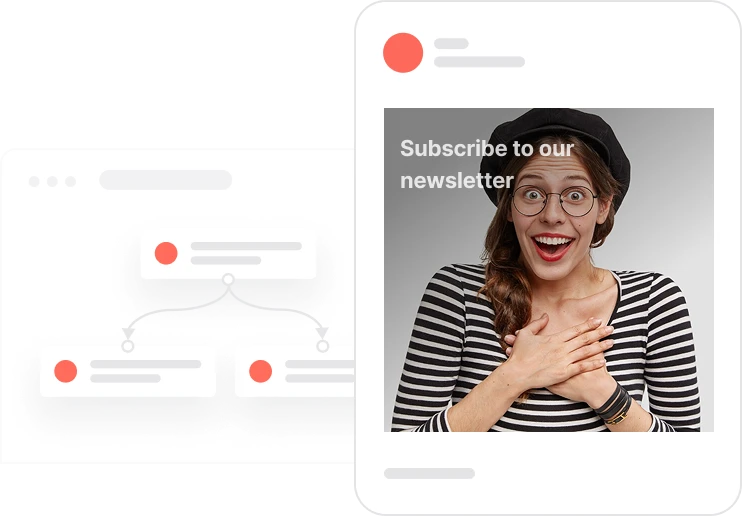
The standard double opt-in is a compliance requirement. This version is also a conversion mechanism. By adding a 10 percent discount to the confirmation step, the flow gives subscribers a concrete reason to complete the verification, not just because they have to, but because there is something in it for them the moment they do. The confirmation email arrives with a clear promise: click to confirm and your discount code is on its way. Once they click, consent is recorded, the discount code is assigned from the promotion pool, and a welcome email goes out with the code in hand. Contacts who are already subscribed receive a friendly acknowledgment instead of a duplicate entry. The result is a list built on real intent, with a portion of it already primed to make a first purchase.
A visitor fills in the newsletter sign-up form. The Send opt-in with discount event fires. The system checks whether Consent email is already TRUE. If it is, a friendly already-subscribed message goes out and the flow ends. If not, a confirmation email lands in their inbox promising 10 percent off when they click to confirm. The confirmation link includes a unique contact identifier so the system can match the click back to the right profile. The confirmation is verified through two parallel triggers: the email click action and the landing page visit, because some email clients block click tracking. Either trigger confirms the contact. Once confirmed, Consent email is set to TRUE, a unique discount code is pulled from the newsletter_discount pool and sent in a welcome email with the code visible and ready to use. The contact is added to the Newsletter list. The whole journey from form submission to discount code in hand takes under a minute.
Send opt-in with discount event trigger: When a visitor submits the newsletter sign-up form or pop-up, the Send opt-in with discount event fires. This event captures the contact's email address and initiates the double opt-in flow with discount.
Check if already subscribed: The system checks whether Consent email is already TRUE. If the contact is already subscribed, a friendly You're already subscribed email is sent and the flow ends cleanly without creating a duplicate. If not subscribed, the flow continues to the confirmation step.
Send confirmation email with opt-in link: The system sends the opt-in confirmation email with a clear subject and a confirmation link that includes the contact's unique key and the opt-in=true parameter. This link enables the system to identify the click and match it to the correct contact profile.
Dual-trigger verification: The system listens for confirmation through two parallel triggers: the Email Action click on the confirmation link, and the Page Visit to the confirmation landing page. Both routes are used because some email clients block click tracking. Whichever fires first confirms the contact and sets Consent email to TRUE.
Assign discount code and send welcome email: Once the contact is confirmed, the system assigns a unique code from the newsletter_discount promotion pool using the Give coupon block, sends the welcome email containing the code, adds the contact to the Newsletter list, and creates a Newsletter subscription event with the scenario attribute set to with_discount.
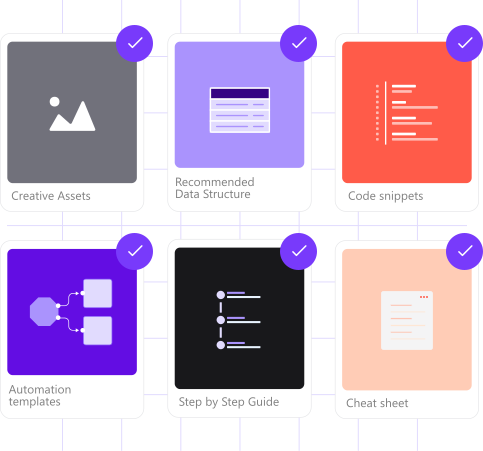
Implementing use case automation involves several key steps and tools. Here's comprehensive ressources to get you started:
Marketing on a new level with a beautiful visual, drag & drop creator.
Send personalized emails that resonate with your users at the perfect moment.
Create promotions, import unique codes, and assign them automatically.
Design and customize landing pages that convert visitors into leads.
A contact attribute is a data field stored on the contact's profile, used for segmentation, personalization, reporting, and automation.
An event tracks a specific action performed by a contact.
A list is a flexible group of contacts managed independently of segment rules.
A promotion is a pool of unique coupon codes that can be assigned automatically to contacts.
Trusted by fast-growing teamsStart from a proven use case designed to help you engage faster, with relevance and impact.
More ways to engage your audienceCompliant two-step opt-ins that deliver an instant discount and lift confirmation rates.
In-app messages that surface new features the moment mobile users open the app.
Automated deal and task creation that puts sales on every expired subscription within days.