












Reward double opt-in with a discount
Compliant two-step opt-ins that deliver an instant discount and lift confirmation rates.
E-commerce Welcome Sequence
An automated welcome flow that creates a strong first impression, nurtures new subscribers, and drives the first purchase.

Most new subscribers forget they signed up within 48 hours if nothing happens. A welcome sequence prevents that. Over seven days, four strategically spaced emails move the new subscriber from curious to committed: a warm welcome, practical value, a personal incentive, and social proof from the community. Between each email, the system checks whether the contact has already purchased. The moment they do, the sequence stops. No discount email after they have already bought, no social proof nudge for someone already converted. The sequence adapts to each subscriber's pace, which means every email that goes out is relevant to where that person actually is in their journey.
A new subscriber confirms their email consent. The automation fires immediately: a warm welcome email introduces the brand, sets expectations, and gives the subscriber a reason to come back. Two days later, the system checks whether they have purchased. If not, a second email provides practical value, tips for getting the most from the products, or a curated guide. Two days after that, another purchase check. Still browsing? Email three arrives with a personal 15 percent discount code, a concrete reason to finally buy. Three days after that, a final check. Still no purchase? The fourth email shows bestsellers and community favorites, the products others love most, the kind of social proof that tips undecided buyers over the edge. If at any point in the sequence a purchase is detected, the contact exits immediately. They do not receive a discount for something they have already bought. They do not receive a social proof email for an action they have already taken. The sequence knows where each person is and responds accordingly.
Email 1: Welcome to the family (Day 0): Triggered immediately when Consent email changes to TRUE. This email introduces the brand, sets the tone for future communications, and gives the subscriber a reason to stay engaged. It is the most important email in the sequence because it establishes the relationship.
Email 2: Get the most out of the brand (Day 2): After a 2-day delay, the system checks for a Purchase event. If no purchase has been made, an educational email is sent with practical content: tips for getting the most from the products, a usage guide, or curated product highlights. If purchase is detected, the contact exits.
Email 3: Your 15% discount is waiting (Day 4): After another 2-day delay, the system checks for Purchase again. If still not converted, Email 3 is sent with a unique 15 percent discount code from the welcome_discount promotion pool. The code is referenced as {{ receiver.coupons.welcome_discount.code }} in the email body. If purchase detected, the contact exits.
Email 4: Community favorites and social proof (Day 7): After a final 3-day delay, the system checks for Purchase one last time. If still not converted, Email 4 is sent featuring bestselling products, real customer reviews, and community favorites. This social proof email is designed to address lingering hesitation through what others have chosen and loved.
Purchase detection and flow exit: At every delay checkpoint, the system checks for a Purchase product event. The moment a purchase is detected, the contact exits the welcome sequence. This ensures no subscriber receives a discount offer after they have already converted, and no social proof email goes to someone who has already made their decision.
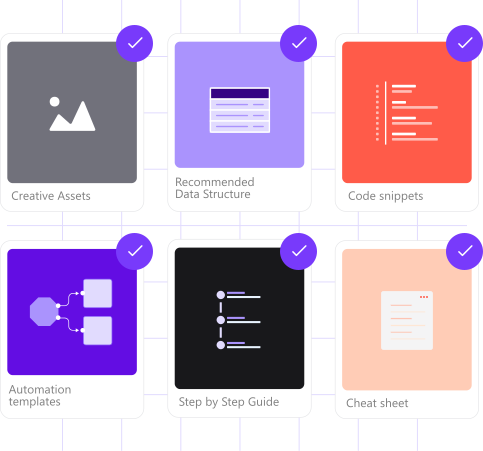
Implementing use case automation involves several key steps and tools. Here's comprehensive ressources to get you started:
Marketing on a new level with a beautiful visual, drag & drop creator.
Send personalized emails that resonate with your users at the perfect moment.
Create promotions, import unique codes, and assign them automatically.
A contact attribute is a data field stored on the contact's profile, used for segmentation, personalization, reporting, and automation.
A product event tracks a contact's interaction with a specific product. The Purchase event is used at each checkpoint to detect conversion and exit the welcome sequence.
An event is a custom piece of information about something your contact does.
Segments are dynamic groups generated based on predefined criteria, which update in real-time as contact behaviors and attributes change.
A list is a flexible group of contacts managed independently of segment rules.
A promotion is a pool of unique coupon codes that can be assigned automatically to contacts.
Trusted by fast-growing teamsStart from a proven use case designed to help you engage faster, with relevance and impact.
More ways to engage your audienceCompliant two-step opt-ins that deliver an instant discount and lift confirmation rates.
In-app messages that surface new features the moment mobile users open the app.
Automated deal and task creation that puts sales on every expired subscription within days.