













Reward double opt-in with a discount
Compliant two-step opt-ins that deliver an instant discount and lift confirmation rates.
Automatically sync Facebook Lead Ads into your sales pipeline, create deals, assign owners, and trigger sales actions instantly.
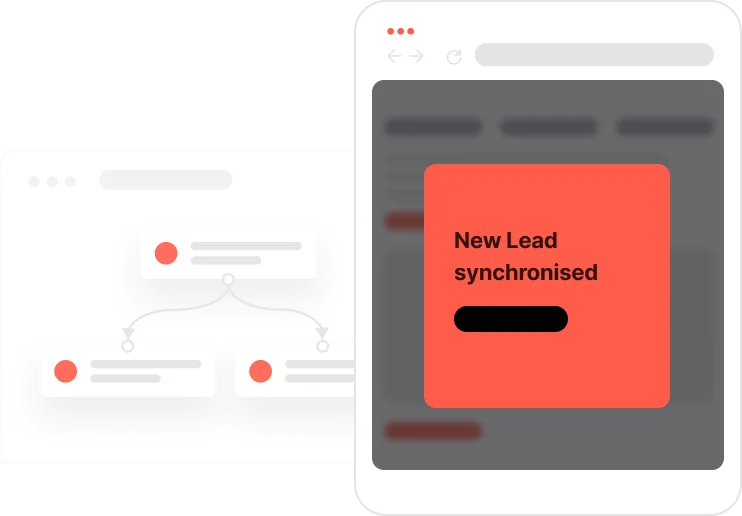
A lead form submission on Facebook is a moment of high intent. Someone has seen your ad, stopped scrolling, and decided to raise their hand. What happens in the next few minutes determines whether that interest converts or disappears. This use case removes every second of delay between submission and sales action. The moment someone fills in the form, Make.com picks it up and passes it to User.com. A contact is created or updated. A deal is opened in the pipeline. The right sales rep gets ownership. A follow-up task is assigned. All of that happens before the person has closed the ad. Speed and structure, completely automated.

Someone sees a Facebook ad and fills in the lead form. Make.com detects the submission in real time and sends the contact data to User.com: email, phone number, form name, source. If the contact already exists, the record is updated. If not, a new one is created. At the same time, Make.com fires a Lead ADS submission event in User.com, which kicks off the sales automation. A deal opens in the Leads pipeline, assigned to the right rep with the stage set to New Lead. A task is created and attached to that deal: call or email, depending on the configured process. The rep opens their task queue and sees the new lead waiting. When they move the deal to Started, a second event is logged to mark the beginning of the sales process. From form to pipeline in seconds. No copy-paste, no missed leads, no delay.
Lead Ads submission detection and contact update: When a contact submits a Facebook Lead Ads form, Make.com detects the new submission and either creates or updates the contact in User.com with attributes including email and phone number. Make.com then sends the Lead ADS submission event to User.com to trigger the sales automation.
Deal creation and assignment in the pipeline: Upon receiving the Lead ADS submission event, the system automatically creates a new deal in the Leads pipeline, assigns it to the appropriate sales team member or group, and sets the initial stage to New Lead.
Follow-up task creation: A follow-up task, either a phone call or an email step depending on the sales process, is automatically attached to the deal, the assigned rep, and the contact. This ensures prompt action is taken without any manual coordination.
Deal attribute enrichment: The automation updates the deal with key information: the contact's email address, phone number, the Lead ADS form name, and the source value set to facebook. This provides full context for the sales rep from the first interaction.
Sales process tracking: When a sales rep moves the deal stage from New Lead to Started, the system automatically creates the Lead started process event. This enables accurate monitoring of lead response times, pipeline progression, and sales team performance.
How to set it up
Implementing use case automation involves several key steps and tools. Here's a comprehensive ressources to get you started:
Marketing on a new level with a beautiful visual, drag & drop creator.
Track sales opportunities and manage your pipeline efficiently.
Contact attribute is a named data field that describes a specific property of a contact stored on its profile and used for segmentation, personalization, reporting, and automation.
An event is a custom piece of information about something your contact does.
Segments are dynamic groups generated based on predefined criteria, which update in real-time as contact behaviors and attributes change.
Collect information from your visitors and navigate them on the website.
Collect information from your visitors and navigate them on the website.
Trusted by fast-growing teamsStart from a proven use case designed to help you engage faster, with relevance and impact.
More ways to engage your audienceCompliant two-step opt-ins that deliver an instant discount and lift confirmation rates.
In-app messages that surface new features the moment mobile users open the app.
Automated deal and task creation that puts sales on every expired subscription within days.