













Reward double opt-in with a discount
Compliant two-step opt-ins that deliver an instant discount and lift confirmation rates.
Automatically generate and keep a Mobile Wallet loyalty pass up to date based on contact registration and loyalty point changes.
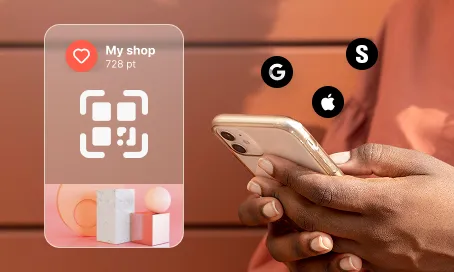
A loyalty card that lives in the customer's phone, updates itself every time they earn points, and never needs replacing is a powerful retention tool. This use case makes it fully automatic. The moment a contact registers for the loyalty program, a personalized Mobile Wallet pass is generated and delivered via email and SMS as an operational message, so marketing consent is not required. From that moment on, every change to the contact's loyalty points updates the pass in real time. No app to download, no plastic card to carry, no manual operations on the brand side. Just a seamless, always-accurate loyalty experience that keeps customers engaged and coming back.

A customer signs up for the loyalty program. Within seconds, User.com generates a personalized Mobile Wallet pass and sends it directly to their email and SMS inbox. The customer taps a link, adds the card to their Apple or Google Wallet, and they are in. No app, no friction, no waiting. Every time they earn or spend points, the card updates itself automatically. The customer opens their wallet and sees the latest balance, always correct, always ready to use. For the brand, there is nothing to manage: no card reprints, no manual syncs, no customer service calls about outdated balances.
Loyalty program registration event: The contact signs up for the loyalty program, triggering the event Registration for Loyalty Program with a defined scenario value. This event starts the automation flow in User.com.
Mobile Wallet pass generation: Upon receiving the registration event, User.com generates a unique Mobile Wallet loyalty pass using contact attributes such as first name, contact ID, and current loyalty points.
Pass delivery via email and SMS: The generated Mobile Wallet pass is sent to the contact via email and SMS with a short, wallet-compatible link. As this communication is operational in nature, marketing consent checks are not required.
Real-time loyalty points updates: Whenever the Loyalty points attribute changes, the automation immediately updates the corresponding value on the Mobile Wallet pass, ensuring the customer always sees an accurate balance.
Scalable card updates and personalization: The automation can be extended to update additional attributes on the Mobile Wallet card such as loyalty tier, VIP status, or points expiration date, allowing for advanced personalization and scalability.
6. Send targeted campaigns based on loyalty activity: The automation can branch into two different campaign paths based on the contact's loyalty activity: an engagement campaign for active members who are regularly earning points, and a win-back campaign for members who have been inactive for a defined period. This ensures every contact receives the most relevant communication at the right time.
Implementing use case automation involves several key steps and tools. Here's a comprehensive ressources to get you started:
Marketing on a new level with a beautiful visual, drag & drop creator.
Send personalized emails that resonate with your users at the perfect moment.
Automate SMS delivery based on user actions or specific conditions.
Reach customers effortlessly through Apple and Google Wallet.
A contact attribute is a data field stored on the contact's profile, used for segmentation, personalization, reporting, and automation.
An event is a custom piece of information about something your contact does.
Implement the companion use case: Mobile Wallet Loyalty Card Registration Flow.
Add more attributes to be updated via automation depending on your specific loyalty program setup.
Use an SMS link shortener to avoid sending very long links that would split into multiple SMS messages.
Adjust the attributes defined in the loyalty card template and the automation to match your specific use case.
Trusted by fast-growing teamsStart from a proven use case designed to help you engage faster, with relevance and impact.
More ways to engage your audienceCompliant two-step opt-ins that deliver an instant discount and lift confirmation rates.
In-app messages that surface new features the moment mobile users open the app.
Automated deal and task creation that puts sales on every expired subscription within days.