












Double-Opt-in mit Rabatt belohnen
Double Opt-in mit sofortigem Rabatt steigert die Bestätigungsrate und sorgt für DSGVO-konforme Einwilligungen.
Automatically remind customers to reorder products before they run out, using replenishment cycles and personalized recommendations.
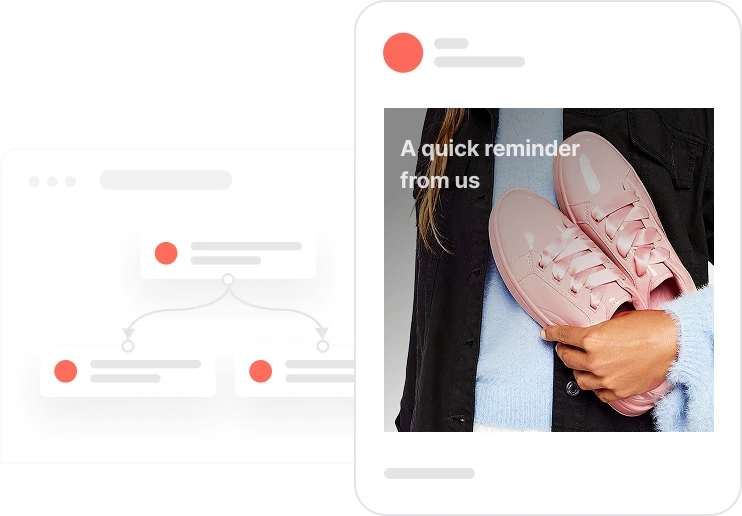
Some products have a natural rhythm. A bottle of shampoo lasts about 30 days. A tub of protein powder lasts 90. When a customer buys one of these, you already know roughly when they will need another. This use case turns that knowledge into action. Every day, the system checks which customers are approaching the end of their product usage cycle and sends them a timely, personal reminder to reorder. The email shows the exact product they bought, links straight to the product page, and can include a discount code. No guessing, no generic campaigns. Just the right message at the right moment, based on real purchase data.
A customer ordered a 30-day product three weeks ago. Today, the system runs its daily check. It looks for completed orders containing products from the Replenishment 30 segment that were delivered 20 days ago, which means the 10-day reminder window has opened. An aggregator calculates how many of these deals the customer has. If the number is greater than zero and the customer has email consent, a personalized email goes out. It shows the product they bought, links to the product page, and optionally offers a discount to make the reorder easy. The same logic runs independently for 90-day products, for 60-day products, for any cycle defined in the product catalog. Each cycle has its own timing, its own segment, its own reminder. The whole thing runs every day without anyone having to touch it.
Daily check of product replenishment cycles: Every day at a scheduled time, the system reviews completed deals that match replenishment-defined segments. For example, for Replenishment 30, it looks for deals where the product was delivered 20 days ago, opening a 10-day window before depletion.
Aggregator evaluation per contact: An aggregator calculates how many deals a contact has within each replenishment cycle segment, for example Number of products with Replenishment 30. If the value is greater than zero, the contact is approaching the end of that product's usage period and qualifies for a reminder.
Consent check: The automation checks that Consent email is TRUE. Only contacts with valid email consent receive the replenishment reminder.
Personalized reminder email: If the aggregator value is greater than zero and email consent is confirmed, the system sends a reminder email containing the product name, image, direct product URL, and an optional discount code. The message highlights that the customer is nearing the end of their product cycle and includes a clear CTA to reorder.
Separate flows for each replenishment cycle: Each replenishment cycle, such as Replenishment 30 or Replenishment 90, runs as a dedicated automation. This ensures accurate timing and product-specific recommendations for each cycle, reducing errors and keeping every reminder relevant to what the customer actually bought.
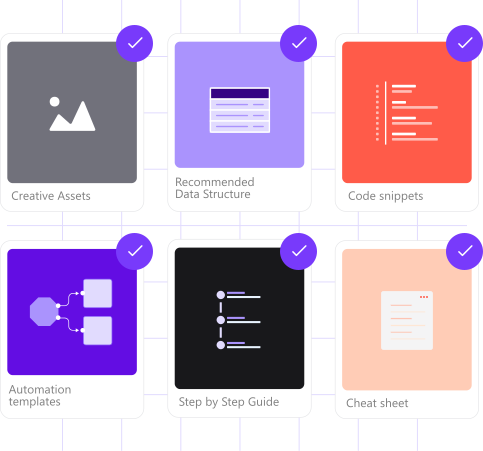
Implementing use case automation involves several key steps and tools. Here's a comprehensive ressources to get you started:
Marketing on a new level with a beautiful visual, drag & drop creator.
Send personalized emails that resonate with your users at the perfect moment.
A contact attribute is a data field stored on the contact's profile, used for segmentation, personalization, reporting, and automation.
A product attribute is a data field describing a property of a product stored on the product profile.
A deal represents a specific sales transaction tracked through your CRM pipeline.
Segments are dynamic groups that update in real time based on contact behavior, product attributes, or deal data.
An aggregator collects numerical data from deals or events and saves the result as a contact attribute, updated on a daily schedule.
Make sure the Date delivered attribute is populated for all completed orders. Without it, the cycle timing calculations cannot run correctly.
The email snippet tag references stage 2 as the completed order stage. Adjust this tag if your pipeline uses a different stage number for completed orders.
Trusted by fast-growing teamsStart from a proven use case designed to help you engage faster, with relevance and impact.
More ways to engage your audienceDouble Opt-in mit sofortigem Rabatt steigert die Bestätigungsrate und sorgt für DSGVO-konforme Einwilligungen.
In-App-Nachrichten präsentieren neue Features, sobald Nutzer die App öffnen.
Automatische Deal- und Task-Erstellung sorgt dafür, dass der Vertrieb zeitnah auf abgelaufene Abos reagieren kann.