











Where your brand meets customer data
A proper design consistency strategy is essential for campaign performance. With Positive User Studio, manage your brand guidelines, create email templates, and personalize every message with dynamic content. One place to design, organize, and maintain your entire visual identity.


Trusted by +15,000 marketing teams




Design and manage your brand assets
Centralize your resources, build professional templates, and maintain design consistency across every campaign, without depending on external tools.

Centralize your graphic resources
Upload images, logos, icons, and videos into your media library. Organize everything into folders and access approved centralized visual assets instantly across every channel and every team.
Design professional email templates
Use the drag-and-drop editor to build responsive email templates in minutes. No coding needed. Drag blocks, add images, adjust layouts, and launch. All from Studio’s built-in email editor.
Maintain your visual identity
Store color palettes, fonts, and brand guidelines in one place. Every team member works from the same approved assets. Your visual branding stays consistent no matter who builds the message.
Share and reuse your best creations
Save your top-performing designs as reusable blocks and templates. Share them with marketing, sales, or support. Every team builds from the same on-brand foundation, speeding up every creative workflow.
Build, save, and reuse your templates
Accelerate template creation with tools that let you design once and deploy everywhere.
Start from the template library or build from scratch
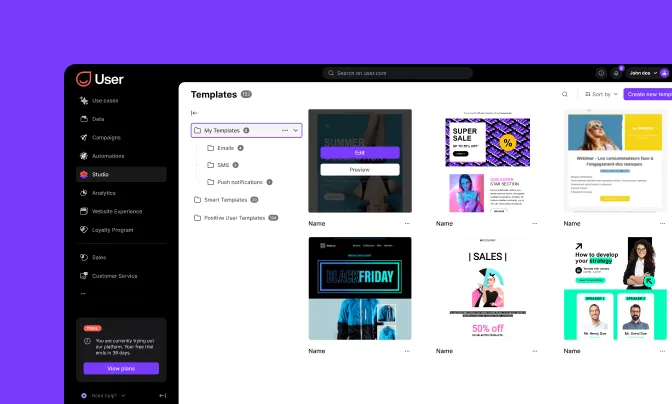
Browse ready-to-use layouts in the template library, from newsletter design to promotional sends. Or start from a blank canvas. Every template is responsive, fully editable, and optimized for email, landing pages, and forms.

Customize and save for reuse
Adjust colors, layouts, and content blocks to match your campaign goals. Save customizable templates for your team to reuse. Modifications sync across every instance. No need to update each campaign individually.
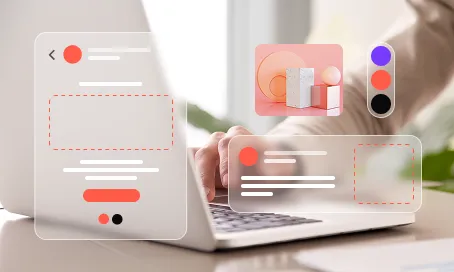
Import and export across formats
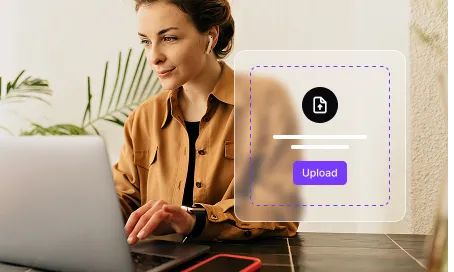
Bring in existing designs or export your creations. Studio supports media import for images, HTML files, and custom templates. Your file management stays centralized. Everything searchable, everything organized.
Smart tools for dynamic personalization
Go beyond static design. Studio’s smart tools let you build messages that adapt to each contact automatically.
Dynamic content blocks
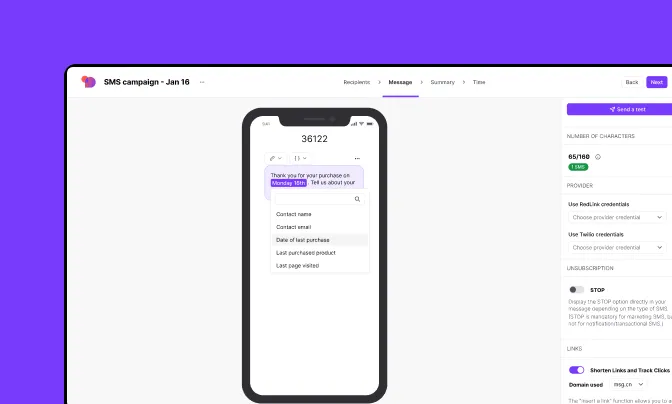
Elevate your campaign personalization with content that changes per recipient. Show cart items, loyalty points, deal status, or account manager data. Studio’s dynamic content blocks pull from real-time contact attributes. No manual work needed.

Product event rendering
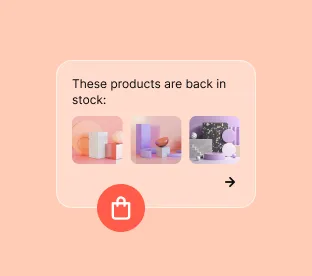
Render actual products inside your emails: images, names, prices, and stock status. Use product event data to show each customer exactly what’s relevant. Perfect for cart recovery, recommendations, and back-in-stock alerts.
AI-powered content suggestions
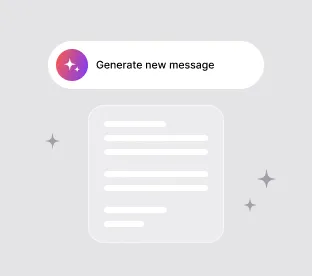
Let Uma help you draft subject lines, rephrase body copy, or generate message variations. Focus on strategy while your AI assistant handles the first draft and A/B testing options.
Personalize every channel from one studio
Studio isn’t only for email. Your templates and dynamic blocks power every multichannel visual design surface in Positive User.
Consistent messaging across channels
Use Studio creations in email, SMS templates, WhatsApp rich messages, push notifications, and on-site experiences. One marketing studio, one design system. Every channel stays on-brand.
Real-time data in every message
Every template pulls live data from contact profiles, product catalogs, and behavioral events. Your marketing visual creation process stays connected to what your customers do, not what you guess.
Trusted by fast-growing teams
You may be interested by these features
Automation
Turn repetitive tasks into efficient workflows
Campaigns
Reach your audience everywhere with multichannel campaigns

Contacts
Store, organize, and understand every customer interaction
Data
Make informed decisions based on reliable data
Website Experience
Turn every visit into engagement with personalized journeys

Analytics
Analyze and optimize each step from action to revenue
Loyalty
Build lasting relationships with your customers

Sales
Turn strangers into loyal customers

Customer Service
Deliver fast, reliable, and human-first support

Positive User AI
Turn ideas into ready-to-run workflows with AI
Personal by design
Don’t just manage files, manage experiences. Use Studio to organize your assets and turn your customer data into conversations that convert.

Frequently Asked Questions
What is Studio in Positive User?
Studio is your marketing studio built into Positive User. It combines a drag-and-drop editor, a centralized media library, and a dynamic content engine. Build professional, personalized messages without code.
What is the difference between a Template and Dynamic Content in Positive User?
A template is the overall visual layout: colors, fonts, structure. Dynamic content is a smart block inside that template. It changes per contact: showing cart items, loyalty balance, deal status, or account manager.
Do I need to code to use Dynamic Content in Positive User?
No. Studio includes a code snippet builder. Pick the data you want: “Company Name,” “Deal Value,” or any attribute. The builder creates the code for you to paste in.
Is the drag-and-drop editor in Positive User beginner-friendly?
Non-designers can create professional email templates and responsive layouts in minutes. No coding knowledge needed.
Can I create and save my own templates in Positive User Studio?
Yes. With Positive User you can design your own or start from the template library. Save your best designs for reuse. All templates are responsive and fully editable.
Can I use Positive User Studio for abandoned cart emails?
Yes. Use product event dynamic content to render the exact items a customer left in their cart. Show real product images, names, and prices inside the email.
How does the media library in Positive User help my team?
The Positive User media library acts as a central hub for graphic asset management. Organize images, logos, and guidelines into folders. Everyone uses the latest approved visuals, keeping your brand consistent.
Can I personalize visuals dynamically in Positive User?
Yes. Positive User Studio’s dynamic content blocks adapt to contact data, product info, deal stages, loyalty points, or user behavior. Every message feels personal at any scale.
How does Positive User Studio maintain brand consistency across teams?
Marketing, sales, and support all access the same media library and templates. Shared assets and brand guidelines keep your visual identity intact. No matter who sends.
How does Studio connect to other Positive User features?
Templates built in Studio work directly in Campaigns, Automation, Website Experience, and WhatsApp. Your designs flow into every channel for a cohesive omnichannel identity.