












Reward double opt-in with a discount
Compliant two-step opt-ins that deliver an instant discount and lift confirmation rates.
Encourage satisfied customers to share product reviews by automatically sending a personalized email 30 days after purchase completion.
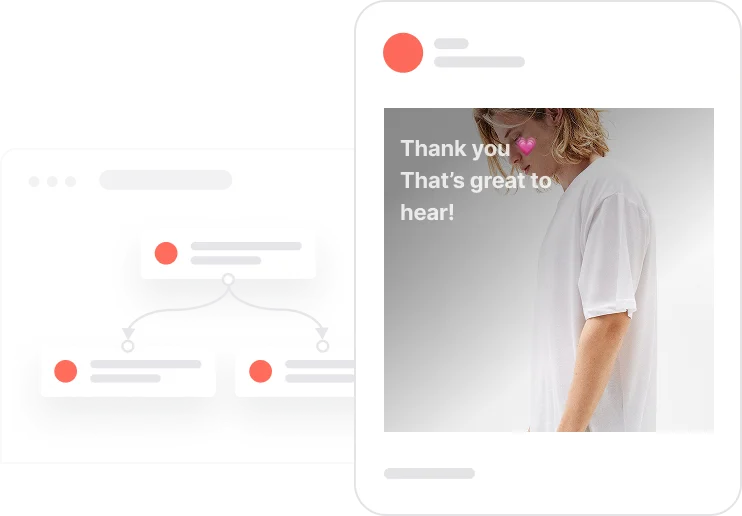
A customer who just received their order is the most credible voice a brand can have. This use case taps that moment at the right time, not immediately after delivery, but 30 days later, when the product has been used and an honest opinion has formed. The automation checks consent, then sends a personalized email listing every product from the order, each with a direct link to its review section. No generic feedback request, no friction. Just a simple, well-timed ask that feels natural rather than automated. Reviews collected this way are more detailed, more believable, and more useful for both SEO and future buyers.
An order is marked as Completed. Thirty days later, the automation wakes up. It checks whether the contact has a valid email address and has given email consent. If both are true, a personalized email goes out. The email lists every product from that specific order, each shown with its name, image, and a direct link to the review section on the product page. The customer clicks, lands exactly where they need to be, and can share their opinion in seconds. A send frequency event is logged immediately after the email is sent to make sure no one receives a second review request for the same order. The whole flow is quiet, well-timed, and frictionless.
Order completion trigger: When a deal's stage moves to Completed, the system records the payment date. Thirty days later, the automation evaluates whether the contact qualifies for the review request based on consent and email availability.
Consent check and eligibility verification: The system verifies that the contact has a valid email address and that Consent email is TRUE. If either condition is not met, the automation ends without sending any message.
Personalized review request email: A personalized email is sent containing the name, image, and direct URL for each product from the completed order. Each link takes the customer directly to the review section on the product page, minimizing the effort required to leave feedback.
Send frequency control and event tracking: Once the email is sent, a send frequency event is logged and the contact is added to the 7-day email segment. This ensures each contact receives only one review request per completed order and prevents accidental duplicate sends.
Optional: smart review link automation: Review links in the email can be configured to automatically trigger the review process when clicked, reducing the number of steps between receiving the email and submitting a review. This optional enhancement increases response rates significantly.
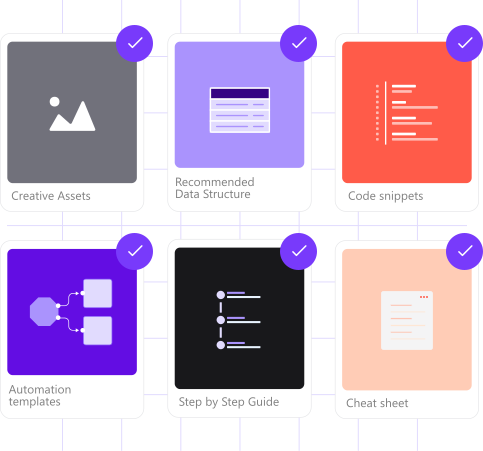
Implementing use case automation involves several key steps and tools. Here's comprehensive ressources to get you started:
Marketing on a new level with a beautiful visual, drag & drop creator.
Send personalized emails that resonate with your users at the perfect moment.
A contact attribute is a data field stored on the contact's profile, used for segmentation, personalization, reporting, and automation.
A product attribute is a data field describing a property of a product stored on the product profile.
A deal represents a specific sales transaction tracked through your CRM pipeline.
An event tracks a specific action performed by a contact.
Segments are dynamic groups that update in real time based on contact behavior and events.
Configure review links to automatically trigger the review process when clicked, reducing the steps between email receipt and review submission.
The email snippet tag references stage 2 as the completed order stage. Adjust this tag if your pipeline uses a different stage number for completed orders.
Trusted by fast-growing teamsStart from a proven use case designed to help you engage faster, with relevance and impact.
More ways to engage your audienceCompliant two-step opt-ins that deliver an instant discount and lift confirmation rates.
In-app messages that surface new features the moment mobile users open the app.
Automated deal and task creation that puts sales on every expired subscription within days.