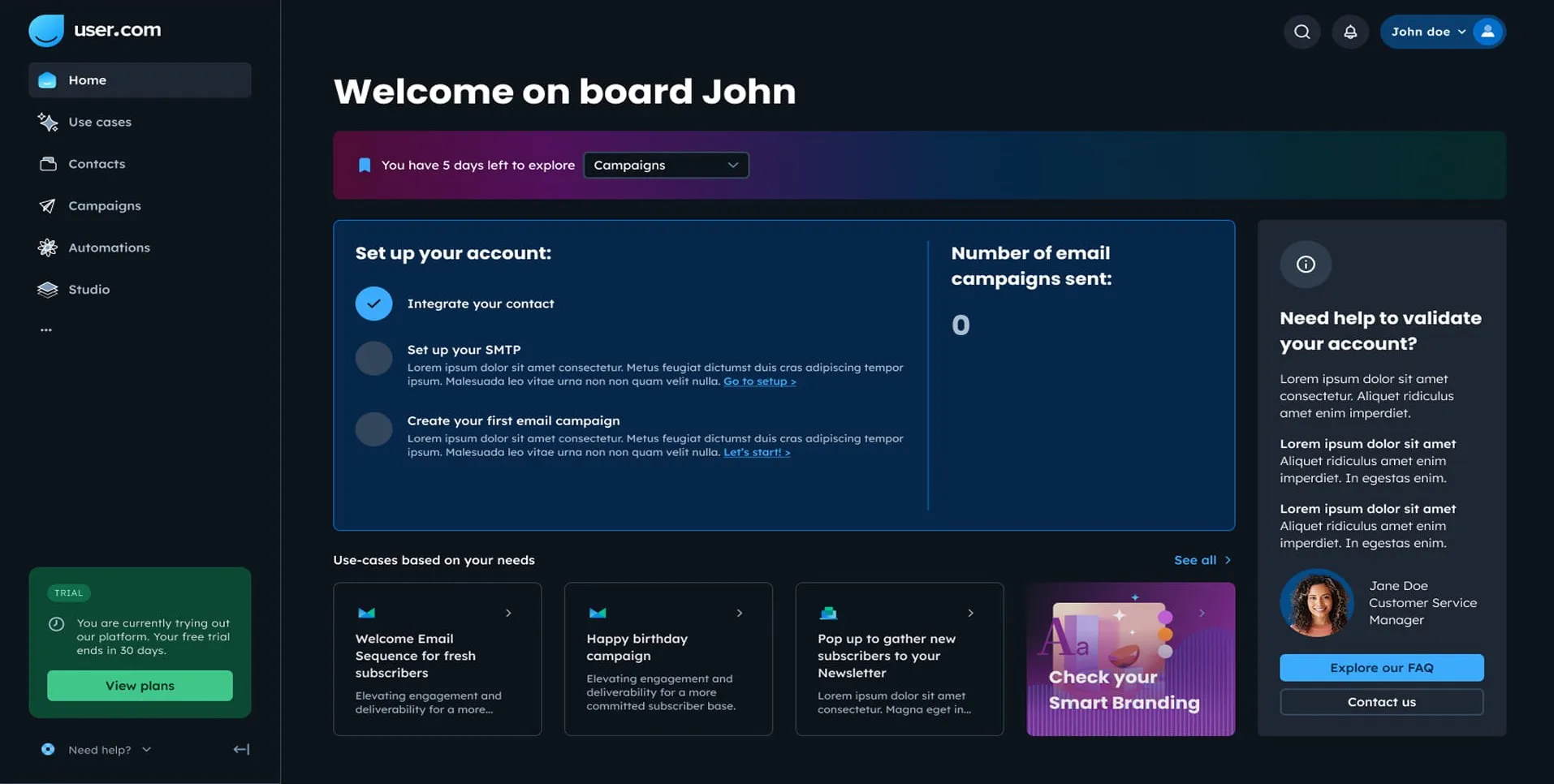
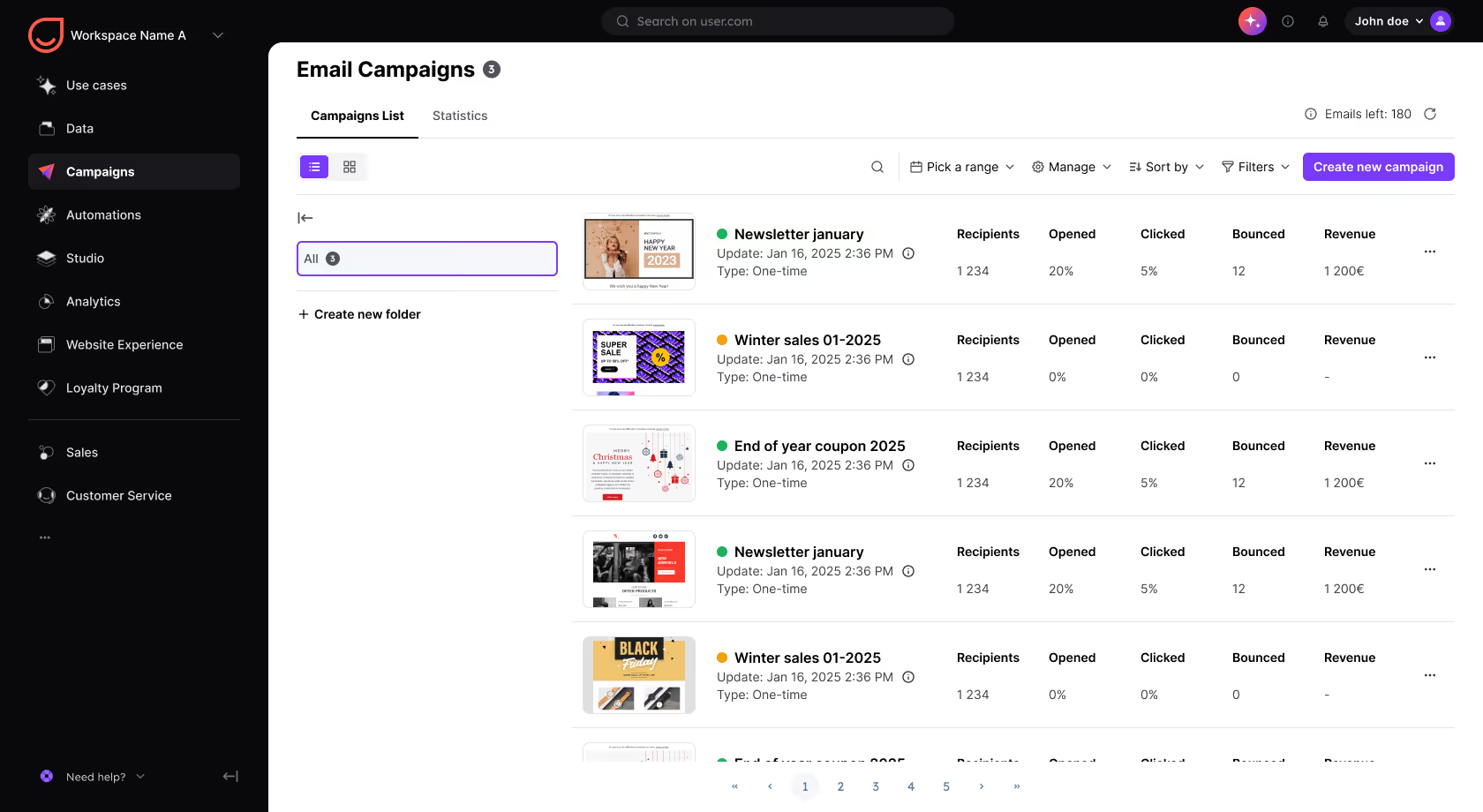
Summary
Marketing automation is the practice of triggering a marketing action, such as sending a message, updating a segment or alerting a colleague, in response to something a contact does rather than on a date you choose. It applies at every stage of the journey: a form submission, a quote request, an abandoned cart, six months of silence. Its value is timing. In a Gartner survey of 645 B2B buyers, fielded in August and September 2025, 69% said they want a sales representative to validate the information AI produced for them, which means buyers arrive informed and want a fast human answer. Positive User runs these workflows across email, SMS through your own gateway, WhatsApp, web push, mobile push, wallet and chat from one contact database, with data stored securely in Europe, in France and Germany.
Someone requests a quote on your website at 9pm on a Tuesday. Your team sees it on Thursday morning. By then the person has asked two of your competitors as well, and one of them answered the same evening. Marketing automation exists to close that gap: it sends a response while the interest is still alive, without anyone having to click "send". This is what the Positive User marketing automation platform is built for.
Most guides on this topic will tell you to build more workflows. This one starts from the opposite idea. Attention is finite, and every message you send spends a little of it, along with the sending reputation that decides whether the next one reaches the inbox at all. The teams that get durable results are not the ones automating the most. They are the ones who answer fast where intent is real, and stay quiet where it is not.
What is marketing automation?
Marketing automation is the use of software to trigger a marketing action, such as sending a message, updating a segment or creating a task for a colleague, in response to something a contact does. The difference with a standard campaign is the starting point. A campaign goes out on a date you choose. An automated message goes out because the contact just did something: signed up, requested a quote, viewed a pricing page, abandoned a cart, or stopped opening your emails three months ago.
That difference is the whole reason automation performs. The message lands inside a window where the person is still thinking about the problem. The same message sent three weeks later, to everyone, will not produce the same result, however good the subject line is.
The if / then rule
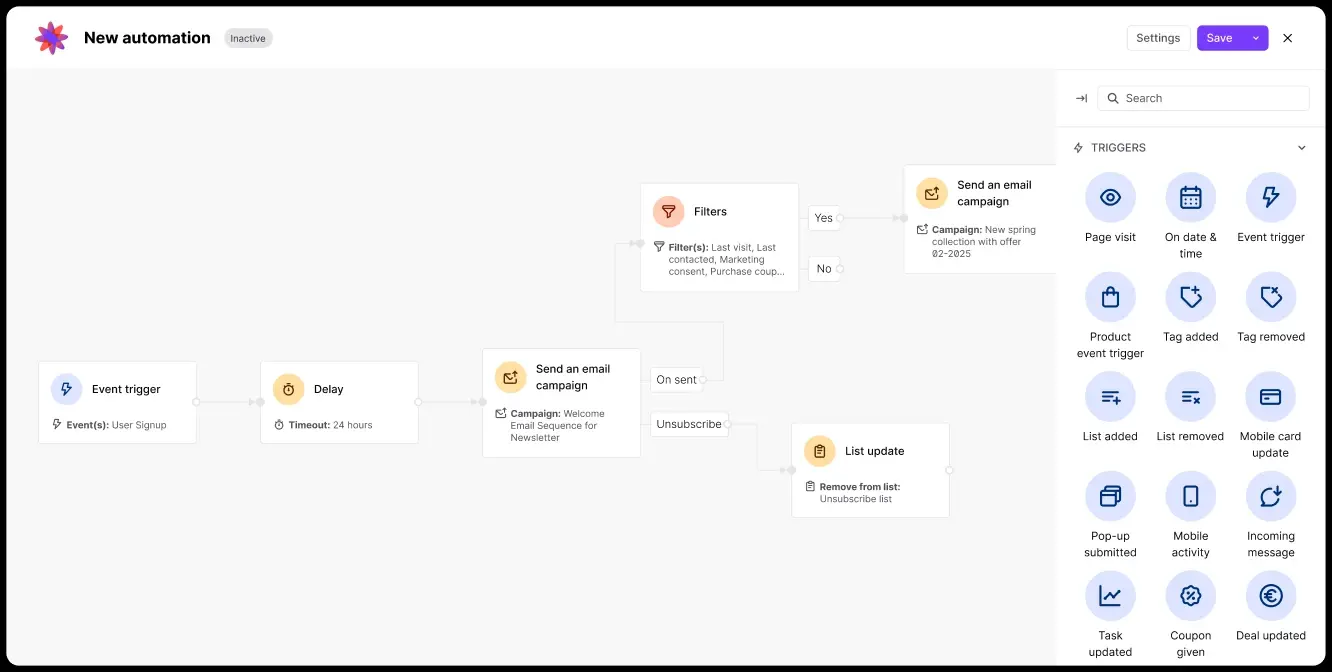
Every workflow, from the simplest to the most elaborate, reads as one conditional sentence with three parts:
- The trigger (if): the event that starts it. A form submission, a cart addition, a purchase, a renewal date, a period of silence.
- The condition (and if): the filter that decides what happens next. Did they open the first message? Are they already a customer? Is the deal above a certain size?
- The action (then): what the platform does. Send an email, an SMS or a WhatsApp message, wait 24 hours, move the contact to another segment, alert a sales rep.
A quote follow-up reads like this: if someone submits a quote request, and if no one has replied within one hour, then send an acknowledgement with a booking link and notify the account owner.
What marketing automation is not
Automation is not a way to send more. Run properly it usually sends less, because contacts who stopped engaging stop receiving campaigns they ignore. It is also not reserved for large organizations. Standard workflows are now built in a visual editor, which is why small teams often get to value faster than enterprises.
Marketing automation and your CRM: how the two work together
A CRM and a marketing automation platform are two layers of the same job, not two options to pick from. The CRM holds what you know about a contact. The automation platform acts on it: it reads the record to decide who receives what, then writes back to it once the contact replies, buys or goes quiet. Some platforms carry both layers in one database, Positive User included. Others are wired to each other.
What matters is the exchange between the two. If the record and the sending tool do not share the same data in real time, workflows fire on stale information and you end up chasing a customer who already bought. Sorting out unified customer data before building anything is the cheapest hour you will spend on this project.
How marketing automation works: the four building blocks
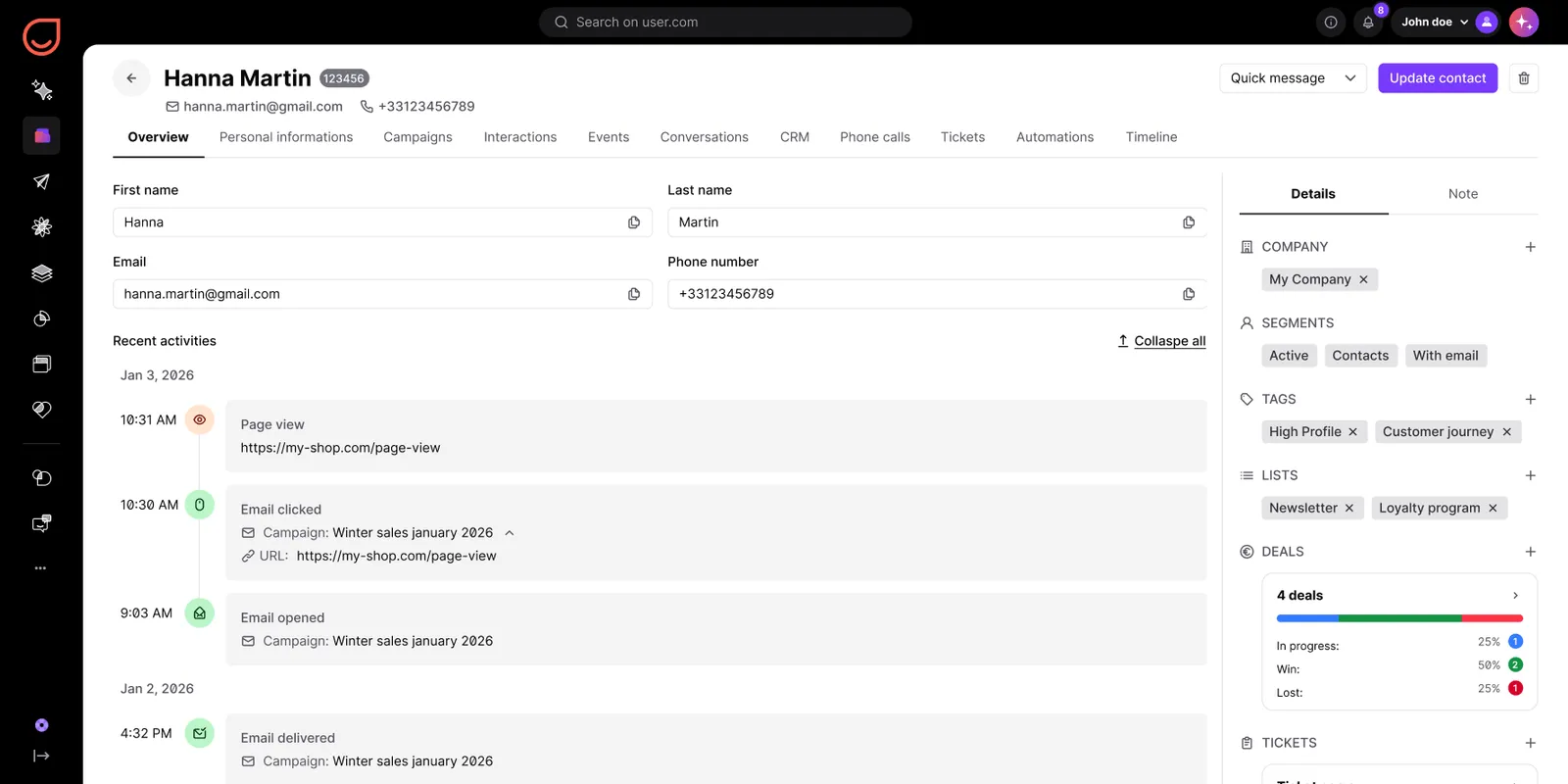
A modern platform rests on four blocks that feed each other. When one is missing, the workflows degrade.
1. Data collection
Forms, pop-ups, on-site tracking, ecommerce connections (Shopify, WooCommerce, Magento, PrestaShop) and CRM imports. This is what feeds your triggers. Without behavioral data you can only automate on dates, which limits you to birthdays and renewals.
2. Segmentation
Splitting the database into groups that update themselves: new signups, recent buyers, dormant accounts, high value deals. A dynamic segment maintains itself. A static list goes stale within weeks.
3. The workflow engine
The visual editor where you assemble triggers, conditions, delays and branches. This is where platforms differ most from one another, and the part to test during a demo rather than read about on a product page.
4. Execution channels
Email, SMS, WhatsApp, web and mobile push, wallet cards and live chat. The more channels run on the same database, the less time you spend repairing integrations between systems.
Together they form a loop. Channels produce behavioral data, that data sharpens segmentation, sharper segmentation makes the next workflow more relevant. This is why an automation program improves month after month while a one-off campaign builds nothing.
Why the intent window decides your results
Marketing automation is often sold as a productivity tool. Its real value is timing. Every signal a contact sends has a life span, and it is short. Someone who requests a quote on Tuesday evening is weighing their options at that moment. By Thursday they have heard from someone else or moved on to another priority, and the message that would have started a conversation now arrives as noise.
Buyer behavior has shortened that window further. In a Gartner survey of 645 B2B buyers, conducted in August and September 2025 and published in May 2026, 45 % had used AI during a recent purchase and buyers consulted an average of seven information sources before deciding. The same survey found that 69 % want a sales representative to validate the information AI produced for them. People reach you with a shortlist already built and a question they want a human to settle, quickly. Replying on Thursday to a Tuesday request no longer reads as busy. It reads as absent.
The same pattern holds outside B2B, where the signal is a cart rather than a form. The Baymard Institute, which aggregates 50 separate studies, puts average cart abandonment at 70.22 %, a figure that has barely moved in a decade despite years of checkout optimization. In both cases the money is not lost when the message goes out. It is lost in the hours that follow the signal.
Marketing automation workflows: what to build first
You do not need fifteen of these. The order below reflects the ratio between setup effort and observed return.
1. Inbound response
An immediate acknowledgement with a next step, and an alert to the owner. The highest return workflow in any business that sells through conversations.
2. Welcome sequence
Three or four messages introducing the company, the offer and one useful thing. A new subscriber will never be more attentive than in that window.
3. Cart or checkout recovery
A short reminder sequence in the hours that follow. The fastest measurable result on this list.
4. Post-purchase and onboarding
The most neglected workflow of all, and the one that does most for customer lifetime value.
5. Renewal and replenishment
Calculated from the previous purchase date, before the subscription renews or the consumable runs out.
6. Dormant reactivation
It recovers some revenue, and more importantly it cleans the database, which protects the deliverability of everything else you send.
7. Internal alerts
A workflow does not have to write to the contact. It can notify a sales rep when an account revisits the pricing page, create a follow-up task, or update the record in the CRM. In B2B this is often where most of the value sits.
The Positive User use case library holds more than 50 ready to activate workflows, including every one on this list.
How to launch your first workflow
- Pick one workflow. Inbound response if you sell through conversations, cart recovery if you sell online. One in production beats five in preparation.
- Check the trigger data. Does the event reach your database in real time? An hour of checking saves two weeks of doubt.
- Write the sequence on paper. Three messages maximum, the delays, and the exit condition.
- Launch on a small segment, with your holdout group. Two weeks is enough for an honest read.
- Stabilize, then move on. Add a fallback channel before building a new workflow.
Marketing automation with Positive User: what changes concretely
Positive User carries all four building blocks in one product, so the contact record, the segments, the workflow engine and more than six channels read and write the same data with nothing to synchronize between them.
Data collection
Forms, landing pages and on-site tracking, plus native connections to Shopify, WooCommerce, Magento, PrestaShop and Salesforce. Events arrive as triggers in real time rather than as an overnight file, which is what makes an hour-one response possible at all.
Segmentation
Segments update themselves as behavior changes, and every channel reads the same one. You do not rebuild an audience for SMS after building it for email.
Workflow engine
Triggers, conditions, delays and branches assembled visually, with internal actions alongside messages: notify an owner, create a task, write back to the record. Exit conditions belong to the workflow rather than being patched in later.
Channels
Email, SMS, WhatsApp, web and mobile push, wallet and chat from the same database. Text messages go out through the SMS gateway you connect. Changing channel inside a workflow is a step in the editor.
Real use cases
Liberty Motors, a motorcycle dealership network in Poland, manages 3,500 leads on a single platform and converts 20.5 % of them into sales. Enquiries used to live in spreadsheets. Website forms and Facebook Lead Ads now feed the platform directly, each lead enters a pipeline automatically, and reps get follow-up reminders instead of working from memory. Read how Liberty Motors moved its lead handling out of Excel.
Doublet, a French manufacturer of visual communication founded in 1832, converts 25 % of its dormant opportunities by routing quotes on value. With 4,000 references, 50,000 customers and 350 employees in six countries, treating every quote the same way was the bottleneck. Low value quotes now trigger a fully automated sequence, high value quotes go straight to a rep, and reorder reminders fire on product wear, 45 to 60 days after a flag order. Read how Doublet routes quotes by value.
innogy go!, a car sharing service running 500 electric vehicles in Warsaw, recovers 6 % of its completed signups each month from people who abandoned registration. Someone who starts an account and stops halfway is interrupted, not lost. A follow-up workflow brings them back, and the first onboarding message is opened by 58 % of recipients, against more than 30 % across all campaigns. Read how innogy go! recovers abandoned signups.
Six rules behind a marketing automation strategy that holds up
A handful of principles hold up across deployments, and several of them run against most published advice.
Set a frequency cap before writing the first workflow
The number matters far less than having one. A B2B account under evaluation and a retail list built for weekly offers do not tolerate the same rhythm, and neither do two contacts sitting on the same list. Set your ceiling from your own data: find the weekly frequency above which unsubscribes and spam complaints start climbing in your base, and apply it across every channel, every workflow and every campaign combined. Then let people move it themselves. A preference centre offering a weekly digest instead of daily sends keeps a contact who would otherwise have left. Without a ceiling of some kind, each new workflow looks harmless on its own, and the accumulation produces unsubscribes that nobody traces back to the real cause.
Write the exit condition before the entry condition
"The contact leaves this workflow as soon as they buy" belongs at the top of the spec. Nearly every embarrassing follow-up comes from a missing exit rule, almost never from a badly chosen trigger.
Change channel instead of repeating one
If an email goes unopened for 48 hours, a second email rarely does better. An SMS or a WhatsApp message inside the same workflow gets an answer where insistence on a saturated channel only earns an opt-out.
Keep a permanent 5 % holdout group
A sample of eligible contacts deliberately excluded from the workflow. It is the only way to know whether your follow-ups generate incremental revenue or simply accompany purchases that would have happened anyway. Very few teams do this, which is why so many overstate their results.
Switch off dead workflows every quarter
A workflow built for a seasonal campaign and never deactivated keeps sending. Review the list every three months and cut anything that has not converted in 90 days.
Never automate a message you have not sent by hand
Test the wording on a hundred contacts before handing it to a workflow that will run for two years. A clumsy manual message reaches a hundred people. The same message automated reaches a hundred thousand.
These rules share a purpose: protecting deliverability. Take a database of 100,000 contacts. At a 99% delivery rate, around 1,000 messages fail to reach an inbox. At 97%, 3,000 do. At 92%, 8,000 people never see the message you paid to design, and every workflow built on top of that list fires into nothing. Percentages hide the scale of the problem, which is why deliverability rarely gets attention until a campaign visibly underperforms. The cause of the decline is almost always the same, too many messages sent to people who stopped opening them, and the fix belongs to your sending practice as much as to your platform.
How to choose: five questions to ask vendors
Feature count is a poor criterion. The ratio that matters is between the complexity of the tool and the size of the team that will run it every day. A powerful tool nobody uses properly costs more than a simple one used fully.
The market also splits into families that optimize for different things. All-in-one B2B suites such as HubSpot and Salesforce Marketing Cloud optimize for alignment between marketing, sales and service. Ecommerce-focused tools such as Klaviyo optimize for the online store and its purchase history. Volume email platforms such as Brevo and Mailchimp optimize for sending cost at scale. Positive User optimizes for running several channels off one database without a technical team. Knowing which family you are shopping in saves more time than any feature list.
Then ask every vendor the same five questions:
- How many channels run on the same database, with no third party connector?
- Where is contact data stored, and under which jurisdiction?
- How many weeks between signing and the first workflow in production?
- Does support answer in your language, in your time zone?
- Is billing based on contacts, on send volume, or on modules?
Put the answers side by side. A table built from your own answers is worth more than a comparison published by one of the candidates, ours included.
Why Positive User?
A 99.9 % delivery rate, measured across June and July 2026. An internal measurement of messages accepted for delivery across the platform, and the number the arithmetic above is built on.
European hosting, with data in France and Germany. A storage location rather than a contractual promise about transfers. For regulated sectors, that removes an entire conversation.
Native omnichannel on one database. Email, SMS, WhatsApp, web and mobile push, wallet and chat, sharing the same record and the same segments. Most stacks reach that coverage by bolting three products together, which is where the synchronization problems start.
No IT team required. Willemse, the French garden retailer, reduced a long-standing dependence on its IT teams by bringing campaigns, segmentation and automation into one tool operated by marketing. The test to run during a demo: can the person who will use this daily build a workflow without filing a ticket?
Channel coverage, available connections and the full workflow library are detailed on the Positive User marketing automation platform page.
{{CTA-BLOG}}
Frequently asked questions
Where to start
Marketing automation is not measured by how many workflows are running. It is measured by how relevant each message is, and by what you decide not to send. Start with one trigger, a short sequence, a clean exit condition and a holdout group. Add a channel once the first workflow runs properly. That progression, rather than early sophistication, is what builds a program worth keeping.
Build your first workflow with Positive User: email, SMS, WhatsApp, web push and wallet from a single interface, with your data stored in Europe.
Launch your first automated workflow